This guide shows how to install and configure Medal.tv so its overlay can be used for injection. Only the overlay is needed: every recording feature stays off and Medal stays running, minimized in the taskbar.
Important: The overlay must stay enabled, but Clip Settings, Video Overlay and Auto Clipping must all be disabled. Medal must be left running minimized in the taskbar, never closed.
Step-by-step setup
-
Download and install Medal.tv
Go to medal.tv, download the installer and complete the full setup. Launch Medal and log in or create an account.
-
Enable the overlay (keep this on)
In the left sidebar, under
App Settings, open theOverlaytab and setEnable OverlaytoON. This is the only setting that stays enabled.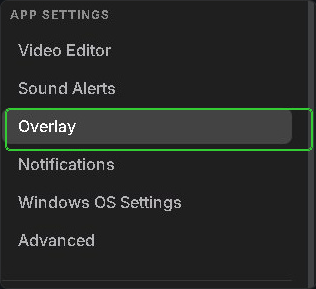

-
Disable Clip Settings
Open
Clip Settingsin the left sidebar and setCapture ClipstoOFF.
-
Disable Video Overlay
Open
Video Overlayin the left sidebar and set bothVideo OverlayandVirtual Camera CapturestoOFF.
-
Disable Auto Clipping
Open
Auto Clippingin the left sidebar and setAuto Capture EventstoOFF.
-
Disable all startup apps and restart
- Press
Ctrl + Shift + Escto open Task Manager. - Click the
Startup appstab. - Right-click every app listed and select
Disable. - Restart the PC. This step is mandatory: the changes only take effect after a reboot.
- Press
Inject
After the restart:
-
Open Medal and log in
Confirm
Enable Overlayis stillONand every other setting from the steps above is stillOFF. -
Minimize Medal to the taskbar
Go back to the main Medal tab and minimize the window. Do not close it.
-
Open the loader and inject
Proceed with injection as normal.
Important: Medal must keep running in the taskbar. Closing it completely breaks the fix: only minimize it.
Checklist and troubleshooting
| Page | Setting | State |
|---|---|---|
| Overlay | Enable Overlay | ON |
| Clip Settings | Capture Clips | OFF |
| Video Overlay | Video Overlay, Virtual Camera Captures | OFF |
| Auto Clipping | Auto Capture Events | OFF |
- Follow the steps in order. Skipping any step will likely bring the same issue back.
- Medal must be minimized to the taskbar, not closed.
- If you use other overlay software, disable it as well: Discord, NVIDIA App (GeForce Experience), AMD Adrenalin, Steam.